An app for students. A panel for you.
TeachMart gives your students an app for video lessons, files and review — and gives your staff one panel to publish lessons, sell access codes and pay teachers.
- 3languages, two of them right-to-left
- 3kinds of discount on every access code
- 7ready-made date ranges in reports
- 10 GBper lesson video upload
What your students see
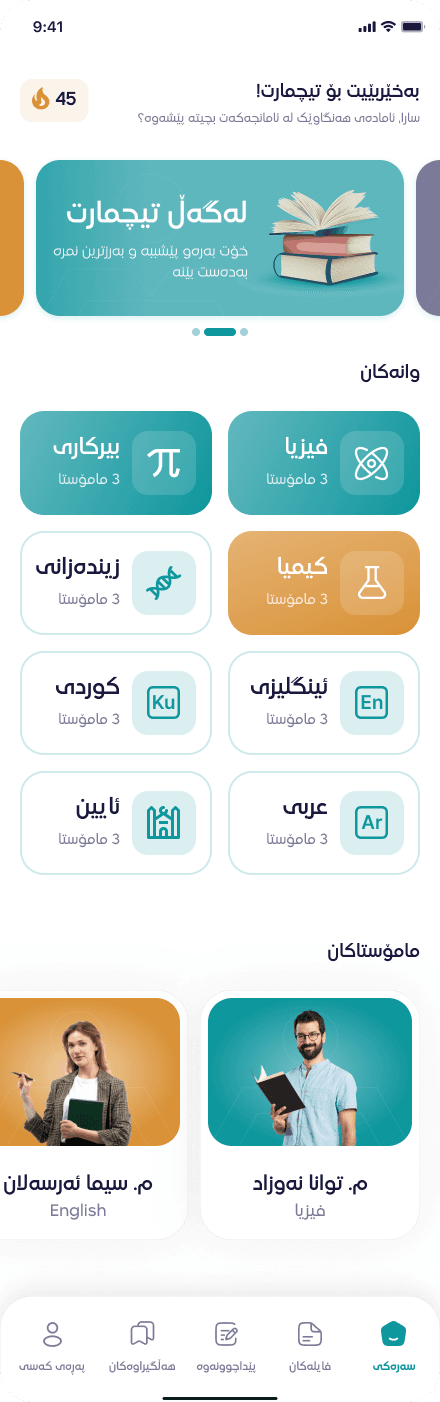
Everything you publish in the panel lands here. Students pick the app’s language in their profile.
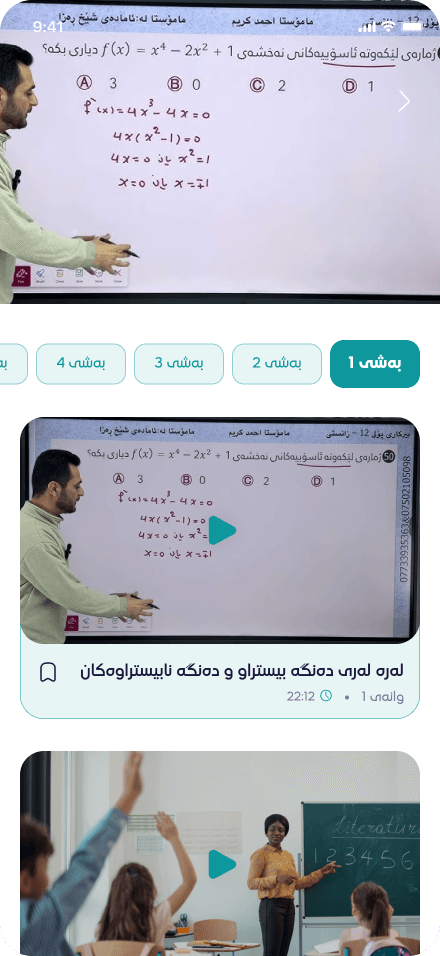
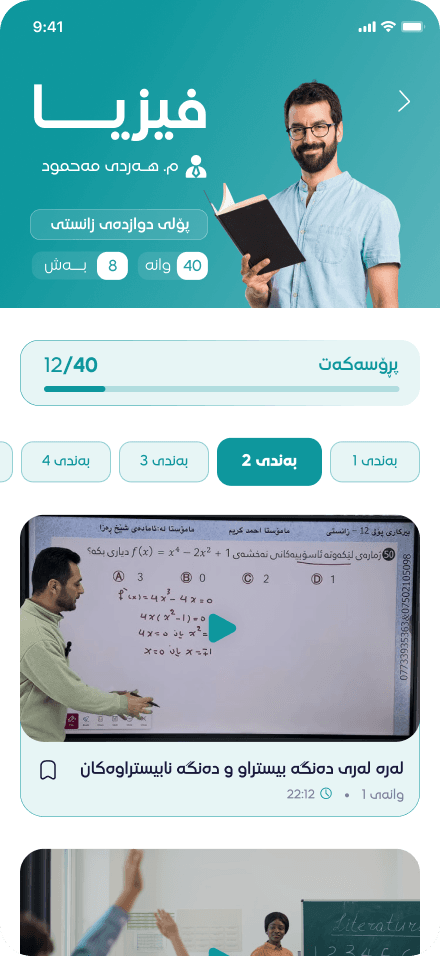
Watch lessons
Videos play in the app, chapter by chapter, and any lesson can be saved for later.
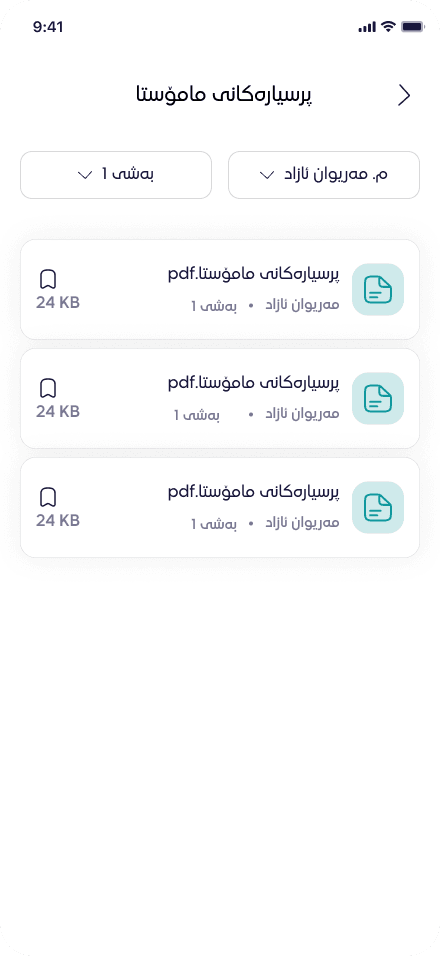
Open files
PDF notes and question sheets, filtered by teacher and chapter.
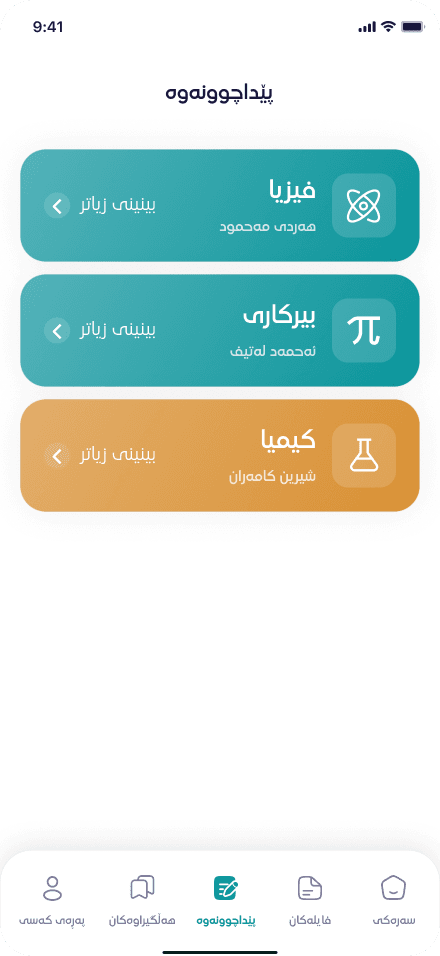
Review
Review lessons sit in their own tab, by subject and teacher.
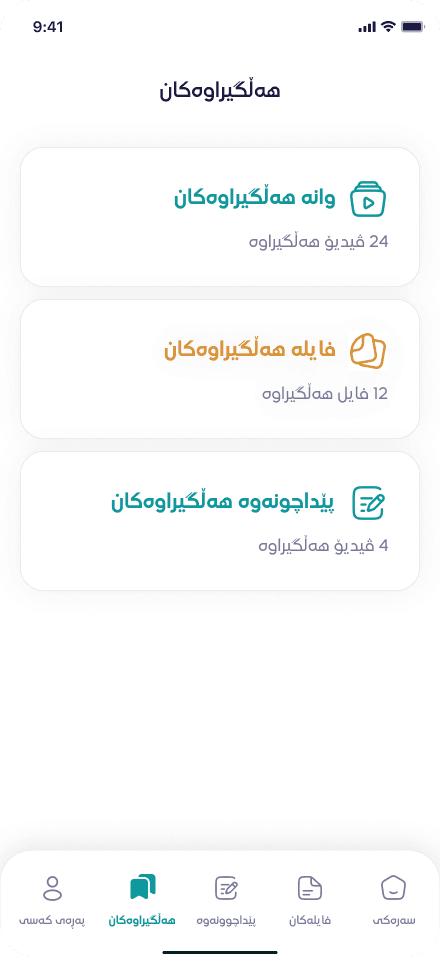
Save for later
Saved lessons, files and reviews, each in its own list.
From the first lesson to the last payout
TeachMart follows the work an institute already does every term, in the order it happens.
Build the catalogue
Every subject has its courses — one per teacher — and every course splits into main and review chapters. A lesson holds the video, a cover image and a description in three languages.
- Upload lesson videos up to 10 GB, with a step-by-step progress display
- Attach PDF, Word or image files to any chapter
- Play any lesson inside the panel before students see it
- Set each subject’s price in one place
- SubjectPhysics · priced per subject
- CourseOne per teacher
- ChaptersMainReview
- LessonVideo · cover · 3 languages
- FilesPDF · Word · image
- ChaptersMainReview
- CourseOne per teacher
How a course is put together. Enrol students and sell access
Each student gets one access code. Add a package or single courses to it, apply discounts, and the final price updates while you choose.
- Packages bundle several courses at a discount
- Three discounts: common, teacher and TeachMart
- Every change writes a numbered invoice — subscribe or unsubscribe
- Print the invoice, or send it as a PDF to the student’s WhatsApp
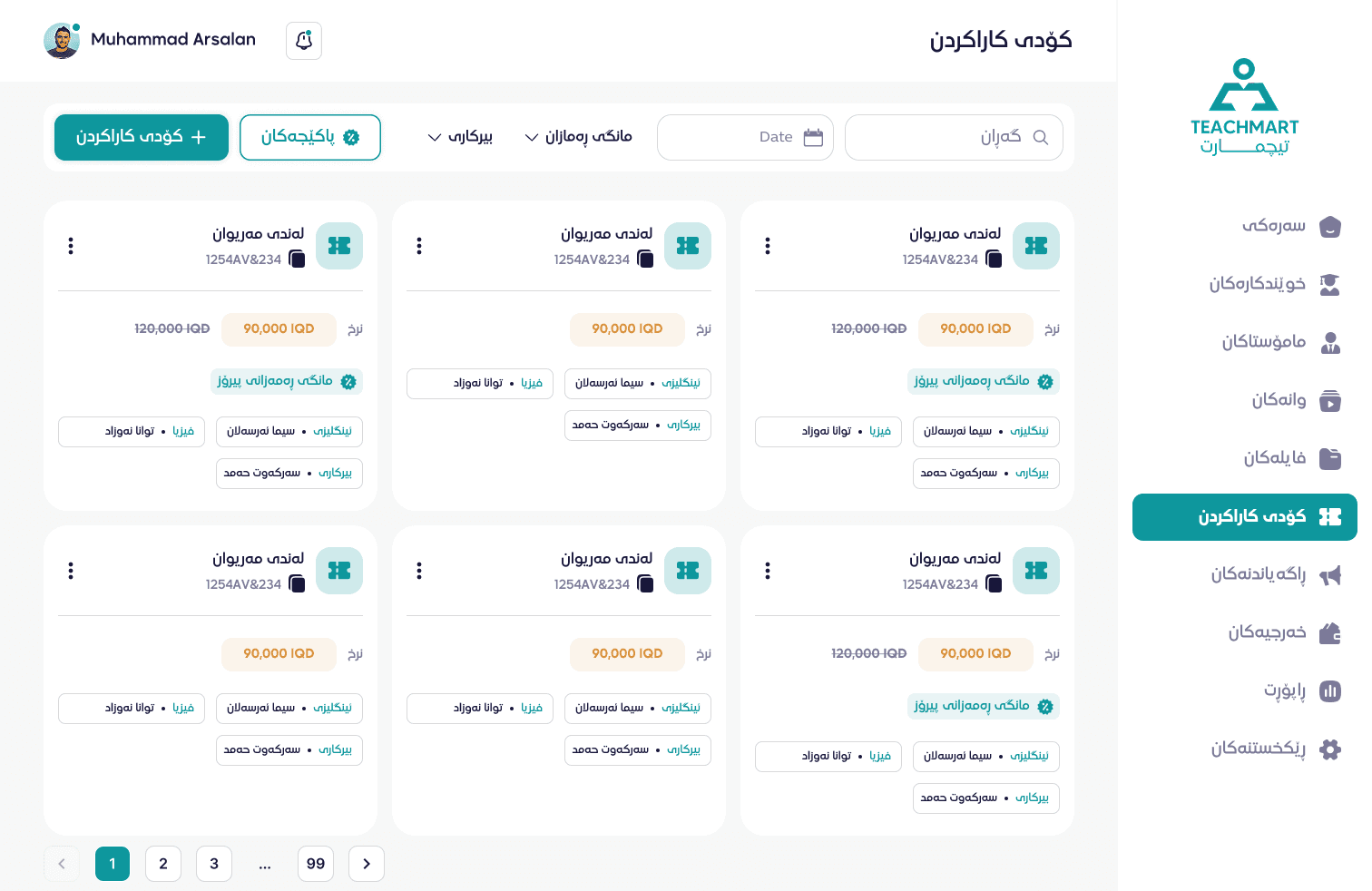
The Access Codes screen. - Final price, with the original crossed out
- The package applied to this code
- Each course: its subject and its teacher
Stay in touch with students
The banners and notifications you publish here appear in the app. What students send from their profile comes back to you.
- Banners with a link, a display order and an on/off switch
- Push notifications written in Kurdish, Arabic and English
- Student feedback, sorted by category
- Streaks and a multiple-login control on every student
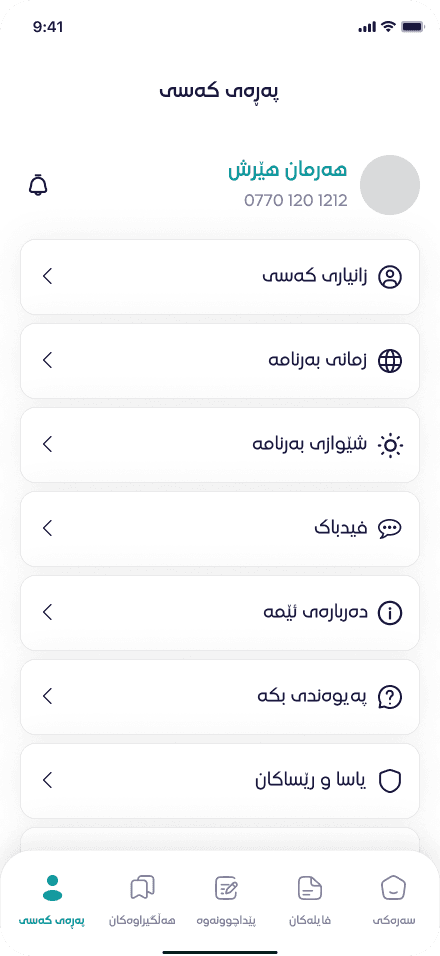
The student’s profile, in the app. - Notifications you send from the panel
- Each student picks the app’s language
- Feedback, which arrives on the panel’s Feedback page
Settle the money
Every payment splits by the teacher’s payout percentage. The teacher’s share builds their balance; the rest is TeachMart income, divided between partners.
- Record payouts and keep a payment history for each teacher
- Log expenses by category, next to income
- Reports for today, this week, this month or any date range
- Print a multi-page A4 report for any teacher
Where a payment goes The student pays the final priceTeacher’s shareset by their payout %TeachMart incomethe remainderPartnerseach by their shareProportions are illustrative.
Decide who sees what
Build roles from grouped permissions, and the panel shows each person only the pages their role allows. Teachers can have their own login to follow their students and earnings.
- Custom roles — there is no fixed admin preset
- An activity log of who did what, and when
- Archives to restore deleted students, teachers, lessons and files
- “My report” for teachers: their own students and payout
RoleAccountant- InvoicesView · PrintAllowed
- ReportsViewAllowed
- ExpensesAdd · EditAllowed
- Lessons—Hidden
- Roles—Hidden
An example role.
Every screen in the panel
Grouped the way an institute works.
| Area | Screen | What it’s for |
|---|---|---|
| People | Students | Profiles, cities, streaks, activation codes and a multiple-login switch. |
| Teachers | Names in three languages, subject, payout %, Telegram link and current balance. | |
| Teacher payments | Payouts and the full payment history. | |
| Users | Staff accounts, linked to a teacher when needed. | |
| Teaching | Lessons | Subjects, courses, chapters and video lessons. |
| Files | Documents attached to chapters, up to 10 MB each. | |
| Sales | Access codes | One per student, holding packages, courses and discounts. |
| Packages | Course bundles with their own discount. | |
| Invoices | Subscribe and unsubscribe invoices, printed or sent to WhatsApp. | |
| Student app | Ads | Banners and push notifications. |
| Feedback | What students send, by category. | |
| Notifications | Every notification sent, and who sent it. | |
| Money | Reports | Income, expenses and per-subject counts for any date range. |
| Teacher & TeachMart income | The split per teacher and per partner. | |
| Expenses | Spending by category and date. | |
| Students report | Active students, income and streaks per teacher. | |
| My report | A teacher’s own students and earnings. | |
| Settings | Roles | Permissions, grouped by page. |
| Activities | A log of every action. | |
| Archives | Restore, or delete for good. | |
| Filters | Student analytics, sorted by money, streak or time. | |
| Lists | Cities and expense categories. |
Kurdish first. Arabic and English too.
- Three languages
- Kurdish is the default. Switch to Arabic or English from the top bar and the layout changes direction with it.
- Prices in dinar
- Prices, invoices and reports are all in Iraqi dinar.
- Invoices on WhatsApp
- On a phone, share the invoice PDF from the share sheet. On a computer, it downloads and opens the student’s chat.
- The panel installs like an app
- Add it to a phone or computer and it opens in its own window, with shortcuts to Teachers, Students, Reports and more.
- Light or dark
- Everyone picks a light or dark theme for themselves.
- Clear when offline
- If the connection drops or the server is under maintenance, the panel tells you — and carries on when it’s back.
Questions
What’s the difference between the app and the panel?
Students use the TeachMart app to watch lessons, open files and review. Your staff and teachers use the panel to manage what the app shows, sell access codes and keep the accounts. Students never see the panel.
Can a teacher see their own earnings?
Yes. Link a user account to a teacher and they get “My report”: their students, what each one paid, and their payout — with an A4 report to print.
Can I limit what each staff member sees?
Yes. Roles are built from grouped permissions. Pages outside someone’s role don’t appear in their menu, and opening one directly shows an “Access denied” page.
How do discounts work?
One access code can carry a common discount, a teacher discount and a TeachMart discount at the same time. Packages add their own discount. The final price is worked out while you build the code.
What happens when something is deleted?
It goes to Archives first. From there you can restore students, teachers, lessons, chapters, packages and files — or delete them for good.
Can staff use the panel on a phone?
Yes. The panel runs in the browser, and you can install it to the home screen, where it opens like an app.
Let us show you the panel
We’ll walk you through TeachMart in Kurdish, Arabic or English, and answer your questions about setting up your subjects and teachers.